


How to Set Up Automated Invoicing for Your Small Business
How to Set Up Automated Invoicing for Your Small Business
If you’re still creating invoices from a blank document every time you finish a job, you’re spending time on something that should take about ten minutes to set up once and then run on its own. Automated invoicing means your invoices go out on schedule, your reminders chase late payments without you lifting a finger, and your records stay accurate without you re-entering the same client details every month. So here’s how to actually set it up, not just why it’s a good idea.
Why Manual Invoicing Costs You More Than Time
Most small business owners don’t invoice late on purpose. It happens because invoicing sits at the bottom of the list, after the actual work, after client calls, after everything that feels more urgent on a given day. By the time you get to it, a week has passed since the job finished, and the client’s memory of why they owed you money has faded along with their urgency to pay.
Manual invoicing also multiplies small errors. A wrong due date here, a missing bank detail there, an invoice sent to the old contact instead of the new one. None of these is a disaster on its own, but they add up to slower payment and more time spent fixing things that automation would have gotten right the first time.
What You Need Before You Start
You don’t need much, but a few things should be sorted before you set up automation. Otherwise, you’ll be fixing your setup later instead of using it.
- Your business details. Legal or trading name, address, and VAT number if you’re registered.
- A payment method that clients can use directly. Bank transfer works, but a linked processor like Stripe or GoCardless lets clients pay with a click and automatically marks the invoice as paid.
- Your client list with correct email addresses. Automated reminders are only useful if they land in the right inbox.
- Clear payment terms. Decide now whether you’re a 14-day, 30-day, or on-receipt business, and apply it consistently.
Setting Up Automated Invoicing, Step by Step
1. Pick software that handles the whole cycle, not just invoice creation.
Plenty of tools will let you design a nice-looking invoice. Fewer will actually chase it for you, track whether it’s been opened, or reconcile the payment once it lands. This is the difference between digital invoicing and automated invoicing. BFSB was built to handle the full cycle, not just the document.
2. Set up your invoice template once.
Add your logo, business details, and standard payment terms a single time. Every invoice after that pulls from the same template, so you’re never retyping your own bank details or VAT number.
3. Connect a payment processor.
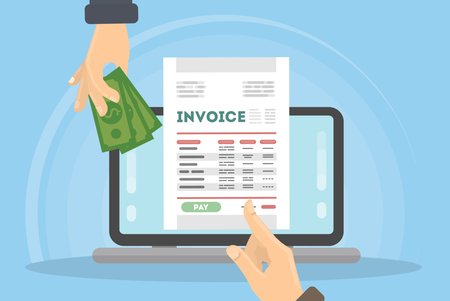
This is the step people skip most often, and it’s the one that actually saves time. Without it, automated invoicing still ends with you manually checking your bank account and updating a spreadsheet. With it, a paid invoice updates itself.
4. Set up recurring invoices for repeat clients.
If you bill the same client weekly, monthly, or on any fixed schedule, set the invoice to generate and send automatically on that schedule. You’ll still want to glance at it before it goes out the first couple of times, but after that it runs without you.
5. Turn on automatic payment reminders.
A polite reminder a few days before the due date, and a firmer one a few days after, will get you paid faster than any amount of manually remembering to chase people. Most late payments aren’t a client refusing to pay. They’re a client who forgot, and a reminder fixes that on its own.
6. Let your expense and payment records reconcile automatically.
Once invoices are marked paid on their own, your income records stay current without a separate spreadsheet. This matters more than it sounds like at tax time, when you don’t want to be piecing together six months of payment history from memory.
Common Mistakes to Avoid
Not setting payment terms clearly. Payment due soon isn’t a due date. Put an actual date on every invoice, or your automated reminders won’t know when to fire.
Skipping the payment processor step. This is the one piece that turns invoicing from looking automated into actually automated. Without it, you’re still the manual step in the middle.
Using a generic template for every client. It takes one extra minute to set the right payment terms or reference number per client, and it avoids confusion later when something doesn’t match what you agreed.
Not checking VAT status before invoicing. If you’re VAT registered, your invoices need to reflect that correctly from day one. Fixing a run of incorrect invoices after the fact is far more work than getting it right at setup.
FAQs
Do I need to be VAT registered to send invoices?
No. Any business can send invoices whether or not it’s VAT registered. If you are registered, your invoices need to show your VAT number and the VAT charged separately from the net amount.
Can I automate invoices for one-off clients, or is this only useful for recurring work?
Automation still helps with one-off invoices. The template, payment link, and reminder schedule all still apply. Recurring invoices are simply an extra layer on top for clients you bill repeatedly.
What happens if a client doesn’t pay an automated invoice?
The reminder schedule continues regardless of whether the invoice was sent automatically or by hand. If a client still hasn’t paid after your final reminder, that’s the point to follow up personally rather than relying on the system.
Is it safe to link my bank or payment processor to invoicing software?
Reputable invoicing platforms don’t store your bank login. Payments are handled through the processor itself (Stripe or GoCardless, for example), and the invoicing software only receives confirmation that payment was made.
Will automated invoicing work if I have both UK and international clients?
Yes, as long as your invoicing software supports multiple currencies and doesn’t assume every client is billed the same way. Worth checking this before you commit to a platform if you invoice outside the UK regularly.
Built For Small Business handles the full invoicing cycle, templates, recurring billing, payment tracking, and automatic reminders, in one free platform for UK and Nigerian small businesses. Set up your invoicing for free and stop chasing payments manually.
Related articles you might like

Tag:
UK InvoicingShare:
